The spoken shift log for marinas and clubs
The watch changes.
The knowledge stays.
Say what happened on the dock. The next shift finds it, and can ask about it, days later.
Or email maxwell@loglinq.com

What the next shift never hears
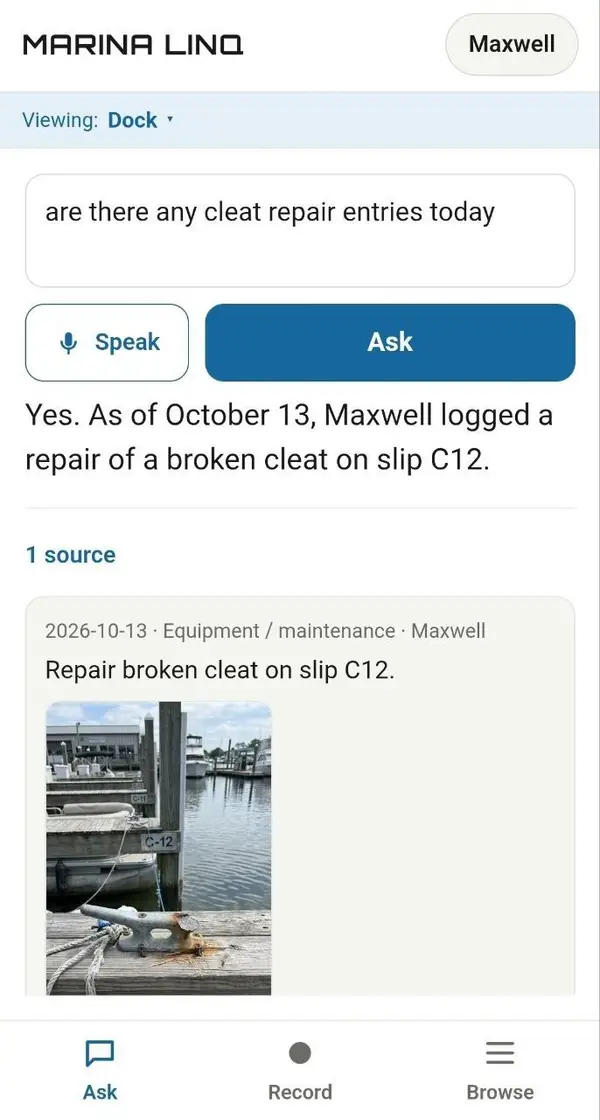
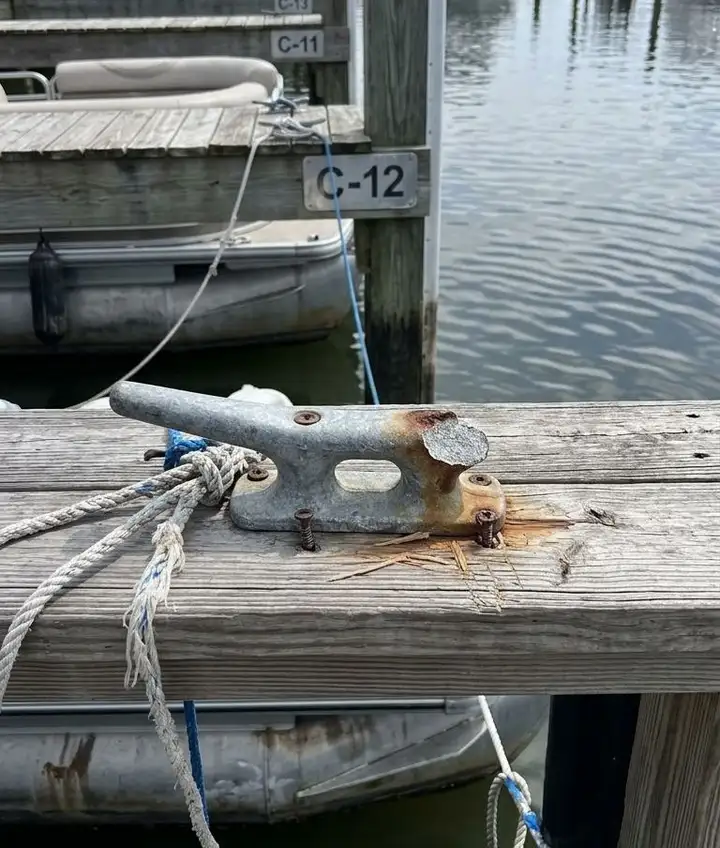
A cracked cleat on C dock, mentioned at six in the evening on the way to the parking lot.
By Thursday nobody knows which cleat, or whether the yard was called. Marina Linq keeps that sentence: spoken into a phone in the moment, still there when a member asks or the report is due.
How it works
Four steps, about twenty seconds
 Speak it
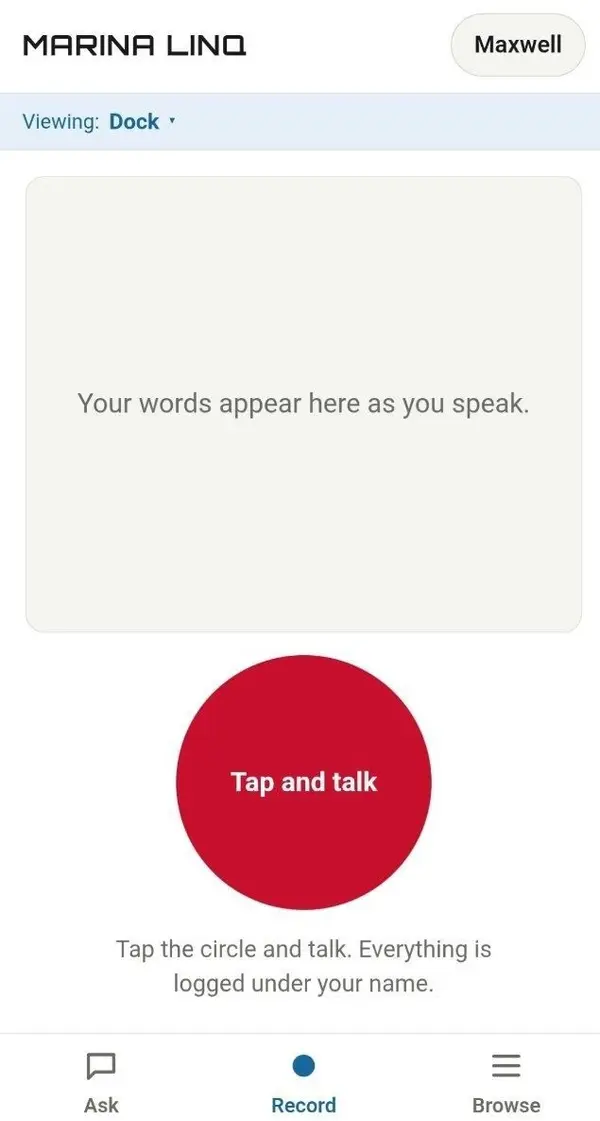
Tap the circle and say what happened. No typing.
 Check it
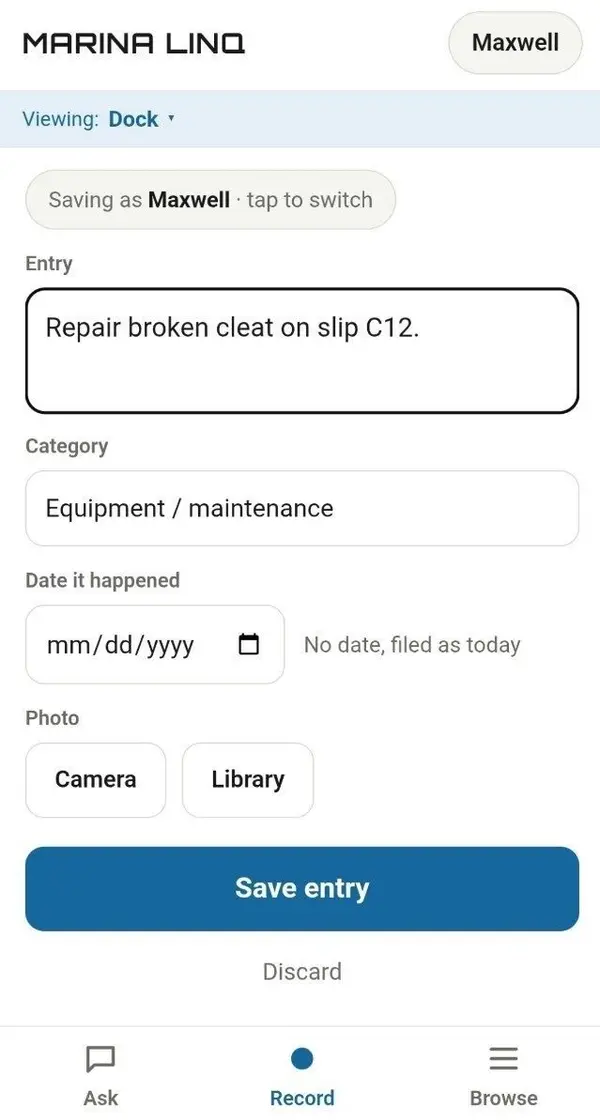
Dated and sorted into your categories. Fix anything misheard before it saves.
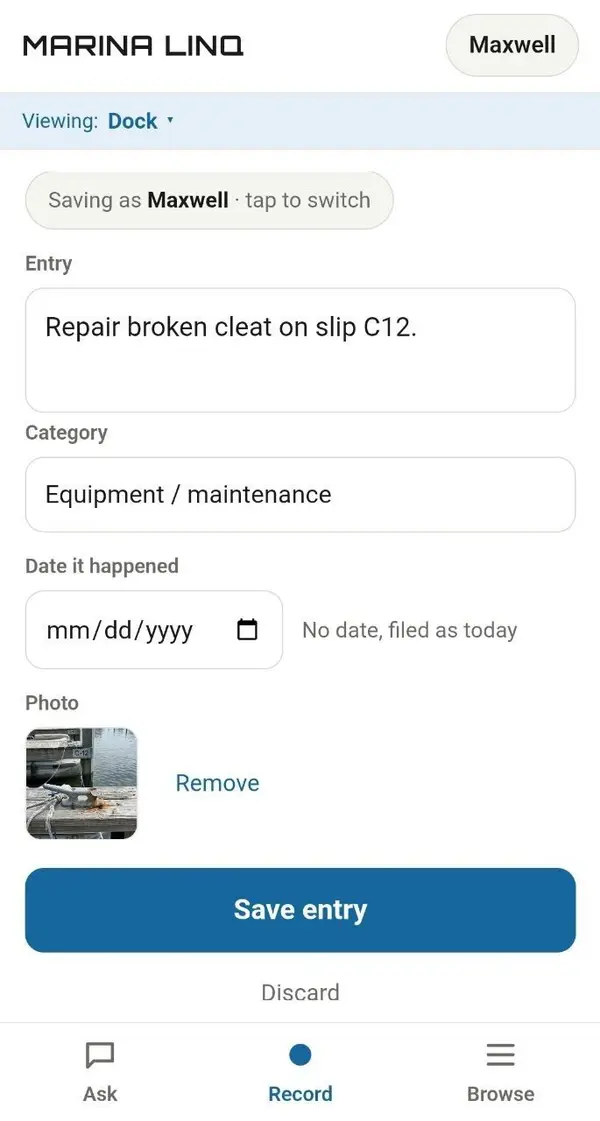 Add a photo
Kept with the entry, not lost in a camera roll.
- Ask later
Ask in plain words. The answer shows which entries it came from.
For the club admin
Your whole property, from anywhere
From the office or from the other side of the world, see what every department logged today and where each job stands. No walking the docks to find out.
Time-stamped and signed
Every entry carries a date, a name and its photos.
Every department, one view
Each department keeps its own log, and you see across all of them.
Ready when someone asks
When an insurer, a member or a lawyer asks what happened and when, you have a dated record of who reported it, with photos.
Where it comes from
Built on a working dock.
The dock logs its slips. Sailing logs repairs on the boats. Each department keeps its own log, so nothing waits on a lost conversation.
Maxwell, founder
An electrical engineer by training, he built Marina Linq after a member asked about an issue nobody had written down.
LinkedIn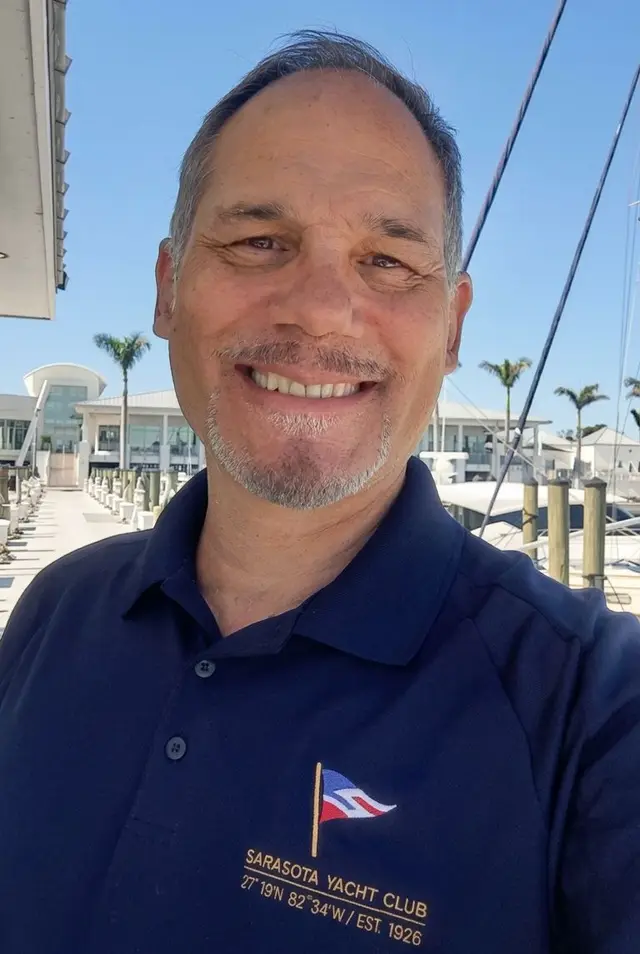
Private, accountable, nothing to install
Private
Every person signs in with their own PIN. Entries and photos are for staff only.
Nothing lost
A deleted entry is hidden, not destroyed. A manager can bring it back.
Audit log
Every admin change is logged: staff added, PINs reset, sign-ins paused or unlocked, data exported, with who and when.
No install
Runs in Safari and Chrome on the phones your crew already carries.
The log belongs to the club. A club admin can export all of it, entries and photos, any time.
Try it free for 30 days
Ten minutes on the dock tells you more than any page.
Book a 10-minute walkthrough- 01Your departments, categories and staff logins, set up for you
- 02An on-site walkthrough with your team, where they actually work
- 03A direct line to the person who built it
Built on a dock. The same handover works at FBOs, clubs and facilities.